How to Stay Focused and Avoid Distractions in a Digital World
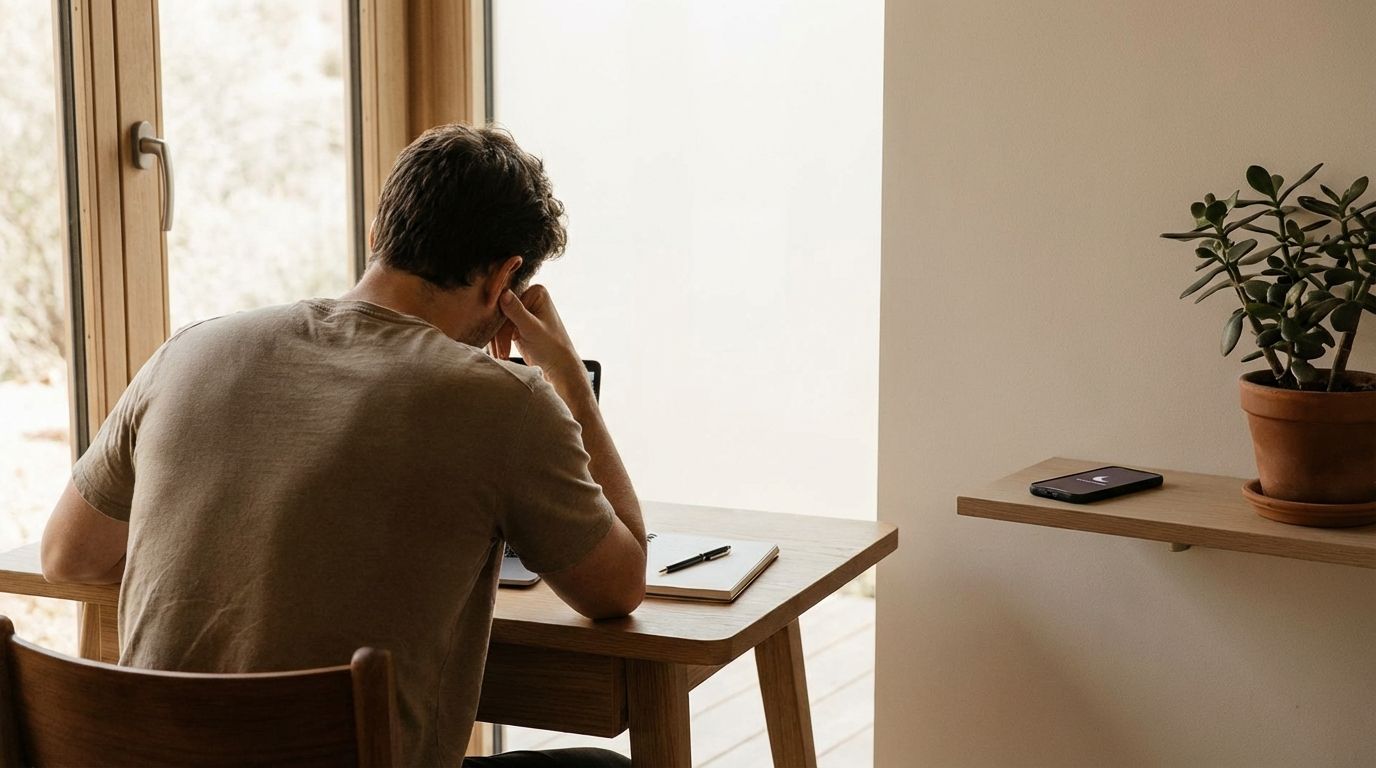
Table of Contents
- How Can You Stay Focused When Your Phone Keeps Distracting You?
- Why Can’t You Focus Anymore Even When You Want To?
- What’s The Fastest Way To Stop Doomscrolling On Reddit, News, Or Short-Form Feeds?
- How Do You Stay Focused Working From Home When Everything Interrupts You?
- How Much Screen Time Is Normal In 2026, And Is It Hurting Your Focus?
- What Are The Best Focus Techniques That Actually Work In 2026?
- How Do You Build A Daily Focus System You Can Maintain Long-Term?
- How Do You Stop Getting Distracted By Your Phone?
- Take Back Your Attention Starting Today
Stay focused in a digital world by removing interruption triggers (notifications, inbox pings, infinite feeds) and replacing them with scheduled focus blocks, clear task boundaries, and friction that makes distractions inconvenient.
This guide gives you practical, repeatable moves that work with modern devices and modern work expectations. You will learn how to shut down the most common distraction sources, stop doomscrolling loops, and build a day that supports deep work without relying on willpower. The goal is measurable attention control you can maintain on busy weeks, not a short-lived productivity burst.
How Can You Stay Focused When Your Phone Keeps Distracting You?
Your phone distracts you for one reason: it is optimized for interruption. When notifications, badges, and previews remain active, your attention gets pulled into “micro-checks” that silently break concentration. A 2025 survey dataset from Human Clarity Institute reports that about 49% of participants selected smartphone notifications as a distraction source, making it the most commonly selected trigger in that dataset.
Start with a strict notification policy, not a vague intention to “use your phone less.” Disable all non-essential notifications, remove badges, and turn off previews on the lock screen so the device stops advertising urgency. Keep calls from a short favorites list, and allow calendar alerts that protect time blocks. When you change the phone’s default behavior, you stop losing focus before you even notice it happening.
Next, add physical distance during focus sessions. Put the phone in another room, a drawer, or a bag that is zipped, not next to your keyboard. Physical separation cuts the reflex loop of picking it up, and it forces a deliberate decision to break focus. If work requires the phone for authentication, move it out of reach and only pick it up at scheduled times.
Finish by redesigning the home screen so it stops acting like a distraction menu. Keep one work page with only essentials (calendar, authenticator, notes, a single communication app). Move social and entertainment apps off the home screen, hide them in folders, or remove them entirely and use the web version only during scheduled windows. The point is not deprivation, it is controlling access so attention stays on the task you already chose.
Why Can’t You Focus Anymore Even When You Want To?
Difficulty focusing usually tracks back to constant switching, not a lack of discipline. Modern digital work blends chat, email, project boards, alerts, and meetings into a single always-on stream. When you keep bouncing between tools, the brain never stays in one cognitive lane long enough to build momentum. Human Clarity Institute’s 2025 dataset reports about 71% of participants felt busy all day yet achieved little of importance at least sometimes, and about 78% reported frustration about being unable to stay focused.
That pattern matches what gets seen in high-output teams: activity looks high, progress looks low. The issue is not effort, it is fragmentation. When every tool can interrupt you, every task takes longer than it should. You also pay a hidden cost in emotional energy because repeated focus loss feels like failure, even when the environment caused it.
Fixing this requires attention architecture. Build a workday with protected focus windows, and force communication into batches. Do not keep inboxes open “just in case.” Decide when you will process messages, and keep those windows short and purposeful.
Meaning also plays a role in sustained attention. In the same 2025 Human Clarity Institute dataset, about 82% reported stronger concentration when tasks reflect what matters to them. That translates into a practical move: start each focus block with a one-sentence outcome statement so the work feels directional, not random. When the brain understands the “why this matters today,” it resists distractions longer.
What’s The Fastest Way To Stop Doomscrolling On Reddit, News, Or Short-Form Feeds?
The fastest way to stop doomscrolling is to kill the infinite feed mechanics and add real friction. Infinite feeds train the brain to keep sampling because there is no natural stopping point. That is why “just be mindful” rarely holds up after a stressful day. You need structural limits that make scrolling less convenient than stopping.
Start with feed control. Unfollow aggressively, mute noisy communities, and disable recommendation-heavy settings where possible so content becomes finite. Shift usage from “open-ended browsing” to “intent-based lookup,” where you open a platform to answer a specific question and close it once you get the answer. If you cannot define what you came for, the session becomes a scrolling session by default.
Add friction that matches your relapse pattern. If uninstalling an app leads to using the mobile site, then the fix must block the site too. Use app limits, focus modes, and website blocking on all devices, not just on the phone. If you consistently bypass software blockers, use higher-friction options, including tools that require deliberate unlocking steps.
Replace the scroll with a short, repeatable reset routine. Doomscrolling often starts in the same moments: between tasks, after a stressful email, or when boredom hits. Keep a three-item replacement list that is quick and non-digital: a short walk, a stretch circuit, a paper checklist review. The replacement has to be immediate, or the phone wins.
How Do You Stay Focused Working From Home When Everything Interrupts You?
Working from home fails when the day has no container. Without fixed start and stop times, work leaks into everything, and everything leaks into work. The most reliable fix is to operate with a defined workday structure, a dedicated workspace, and clear rules for interruptions. Community guidance for staying focused at home repeatedly emphasizes setting routines, separating spaces, and planning breaks rather than reacting to distractions all day.
Set “office hours” and treat them as real. Start at a consistent time, end at a consistent time, and schedule breaks on purpose. Planned breaks reduce the urge to self-interrupt because you know relief is already on the calendar. That structure also improves communication with other people in the home, since expectations become clear and repeatable.
Build a workspace that signals “work mode” even if it is small. Keep one spot for focused work, and remove entertainment cues from that area. Close extra tabs, silence personal notifications, and keep a single task list visible. If a distraction appears, capture it on a note and return to the task instead of switching windows.
Protect a daily deep-work block. Use a short ramp-up routine: review the task list, choose one priority outcome, and start a timed focus session. Use timeboxing if it helps create restart points, since restart points reduce the damage of minor interruptions. The goal is not a perfect day, it is a day where distractions do not control the schedule.
How Much Screen Time Is Normal In 2026, And Is It Hurting Your Focus?
“Normal” screen time is high, and averages depend on what gets counted. A Reviews.org summary published June 13, 2025 reports the average American had 12 hours and 36 minutes of daily screen time across devices. Other sources report lower numbers when they measure different categories, which is why arguing about the “right” number often wastes time.
What matters for focus is not only total screen time, it is reactive screen time. Reactive screen time includes notifications, social feeds, constant email checks, and open chat channels that keep you in a loop of small attention hits. That category drives concentration loss, increases task switching, and makes work feel busy without producing meaningful output.
Measure two numbers for seven days and the picture becomes clear. Track total screen time across devices, then track reactive screen time as its own bucket. The second number is the one to optimize first. Reducing reactive time usually increases output without requiring longer work hours.
Digital distraction also shows up in education outcomes. An Education Week report (December 2023) discusses how classroom device distractions are widely reported and linked in research to lower academic performance indicators. The exact mechanisms vary, yet the operational lesson stays consistent: attention is a performance resource, and interruption-heavy environments degrade it.
What Are The Best Focus Techniques That Actually Work In 2026?
The most reliable focus techniques are the ones that reshape your defaults: notification control, batching communication, timeboxing, and pre-commitment barriers. The best systems reduce decision fatigue by making the focused option the easiest option. That is why teams that formalize “quiet time” often outperform teams that rely on personal discipline alone.
Work culture is shifting toward this direction. A TechRadar report on a Twilio study notes that about 47% of surveyed employees prioritize distraction-free work periods, and about 36% want employers to schedule that quiet time. That demand signals a practical reality: constant pings reduce output, and people recognize it. If the organization will not protect focus time, you still can by scheduling it and communicating it clearly.
Implement a “single-list, single-target” operating method. Keep one task list for the day and pick one primary outcome for each focus block. Multitasking feels productive, yet it usually turns into switching and re-checking. When you limit the active target, you shorten completion time and reduce mental residue between tasks.
Use barriers when distractions keep winning. Software blockers and focus modes work well when configured strictly and protected by a passcode you do not know during work hours. If that still fails, higher-friction tools exist, including products that require intentional physical steps to unlock distracting apps. The right barrier is the one you cannot casually bypass on a tired afternoon.
How Do You Build A Daily Focus System You Can Maintain Long-Term?
A sustainable focus system is built around three repeating controls: what enters your attention, what stays in your environment, and when you switch modes. If you only rely on motivation, the system collapses the moment stress, fatigue, or boredom increases. A working system stays stable even on weeks packed with meetings and messages.
Start by defining three work modes: deep work, admin, and recovery. Deep work is your interruption-free creation time. Admin is where you process email, chat, and small tasks in batches. Recovery is where you step away on purpose, which reduces the urge to self-interrupt later.
Put each mode on the calendar. Protect deep work with focus mode, closed inboxes, and a clear status message. Run admin mode in short, scheduled windows and clear the backlog aggressively. Use recovery breaks to restore attention: move, hydrate, eat, and reset posture, then return.
Keep a simple weekly review. Check what distracted you most, then remove one trigger each week. If notifications keep pulling you, reduce categories further. If feeds keep winning, increase friction. If meetings destroy focus blocks, block deep work earlier and communicate boundaries. Steady adjustment wins because digital environments keep changing, and your settings must keep up.
How Do You Stop Getting Distracted By Your Phone?
- Turn off non-essential notifications
- Put the phone out of reach during focus blocks
- Batch-check messages 2–4 times daily
- Use Focus/Do Not Disturb with a minimal home screen
Take Back Your Attention Starting Today
Digital distraction stops controlling your day when you treat attention like an operational asset, not a personality trait. Silence notifications, batch communication, and remove infinite-feed defaults so your devices stop pulling you into reactive mode. Protect one deep-work block daily, and build a work-from-home container that makes interruptions predictable and manageable. Track reactive screen time for a week, then reduce it with stronger friction and tighter rules. Once the environment stops attacking your concentration, focus becomes your normal state again.
Related Posts
Top In-Demand Skills College Students Should Learn in 2026
Discover the top in-demand skills college students should learn in 2026...
The Best Exam Preparation Techniques for Busy Students
Discover the best exam preparation techniques for busy students, including active...
Is Supply Chain a Stressful Career? The Reality No One Tells You
Is supply chain a stressful career? Learn which roles are high-pressure,...